Warning: Undefined array key 0 in /home/yatsuba/yatsuba.com/public_html/wp-content/themes/amaru/functions.php on line 406
Warning: Attempt to read property "parent" on null in /home/yatsuba/yatsuba.com/public_html/wp-content/themes/amaru/functions.php on line 407
Warning: Attempt to read property "term_id" on null in /home/yatsuba/yatsuba.com/public_html/wp-content/themes/amaru/functions.php on line 413
Warning: Attempt to read property "cat_name" on null in /home/yatsuba/yatsuba.com/public_html/wp-content/themes/amaru/functions.php on line 413
とりあえずウェブサイトを作ってみる
Warning: Undefined variable $pre in /home/yatsuba/yatsuba.com/public_html/wp-content/themes/amaru/functions.php on line 517
しっかりしたウェブサイトを作るのは大変ですが、簡単なサイトであれば初心者でも作れます。
まずはウェブサイトを作ってみて、サイト製作がどのようなものなのか学びましょう。
HTML文章の作成に必要なものを用意する
普通のPCならホームページの作成に必要なものはあらかじめ入っています。 もしも入っていない場合は、ネットなどからダウンロードしてください。
テキストエディタ
Windowsであればメモ帳がプリインストールされていますが、どうせなら高機能のエディタを使った方がいいです。 サクラエディタやTeraPadなどが無料でかつ高機能なのでお勧めです。
ウェブブラウザ
今回はInternetExplolerでも問題ありませんが、本格的にウェブサイト構築をするつもりであれば開発環境のあるものの方が好ましいです。 GoogleChromeかFireFoxがお勧めです。
ホームページを作ってみる
製作道具をそろえたところで、まずはホームページを作ってみましょう。
テキストエディタを開く
windowsであればメモ帳がプリインストールされています。 他のものでも特段問題ないので、とりあえず開きましょう。
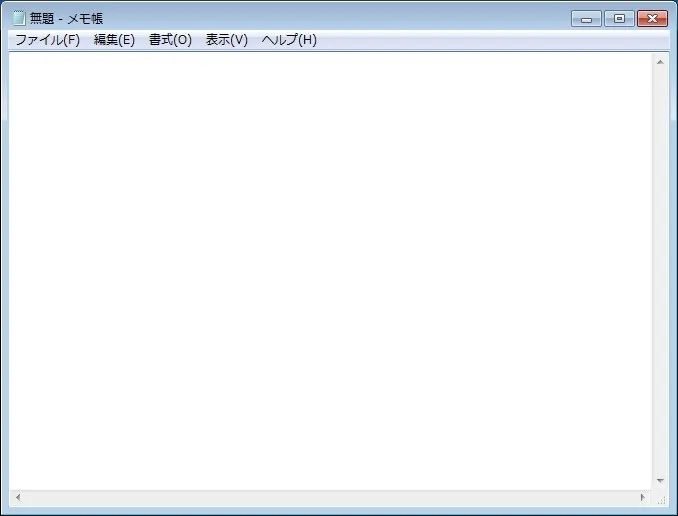
文書を記入する
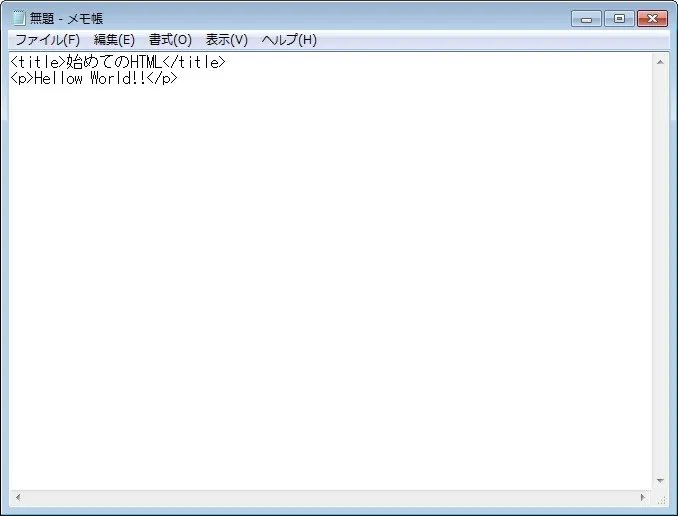
次に表示する文章を考えます。 こういう時に表示する文章といえば「Hellow World!!」ですかね。 では下の文章を丸っとコピー&ペーストでテキストエディタに貼り付けてください。
lt;title>始めてのHTML</title>
<p>Hellow World!!</p>
HTML形式で保存する
名前は何でもいいですが、HTMLファイルにするは拡張子を変えなければなりません。
- ファイルの種類を「すべてのファイル(*.*)」へ変更
- ファイル名に「HelloWorld.HTML」と半角文字で入力
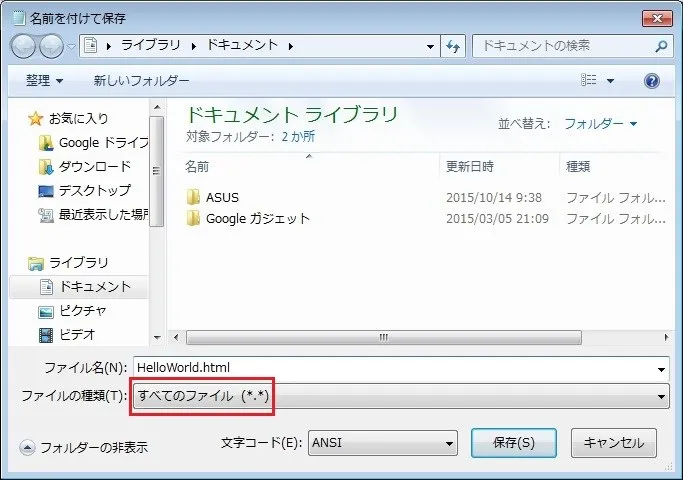
保存できたらファイルのアイコンがブラウザの形になっていると思います。
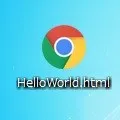
HTMLファイルを開く
ファイルをダブルクリックで開いてみましょう。 無事表示できたでしょうか? 味気ないですが、これでもウェブに乗せれば立派なウェブサイトです。

まとめ
このようにHTMLはテキストエディタとブラウザが入っていれば作れます。 今回は簡素な作りのページですが、時間をかければメモ帳一つでそれなりのサイトも作れます。 デスクトップに作って練習するのはタダですので、トライ&エラーの精神で学んでいきましょう。